
Secure File Transfer Protocol (SFTP) Source
In order to setup SFTP as a data source, you need admin access to an STFP server.
Setting up SFTP and user
Create an SFTP server (or use an existing one) to store the data you want to share with Monda.
Create a user to act as a service account for Monda:
Grant the new user read-only privileges to the new server (or folder within the server)
Access can be granted via password or key based authentication. The current supported key formats are RSA and Ed25519
Connect SFTP to Monda
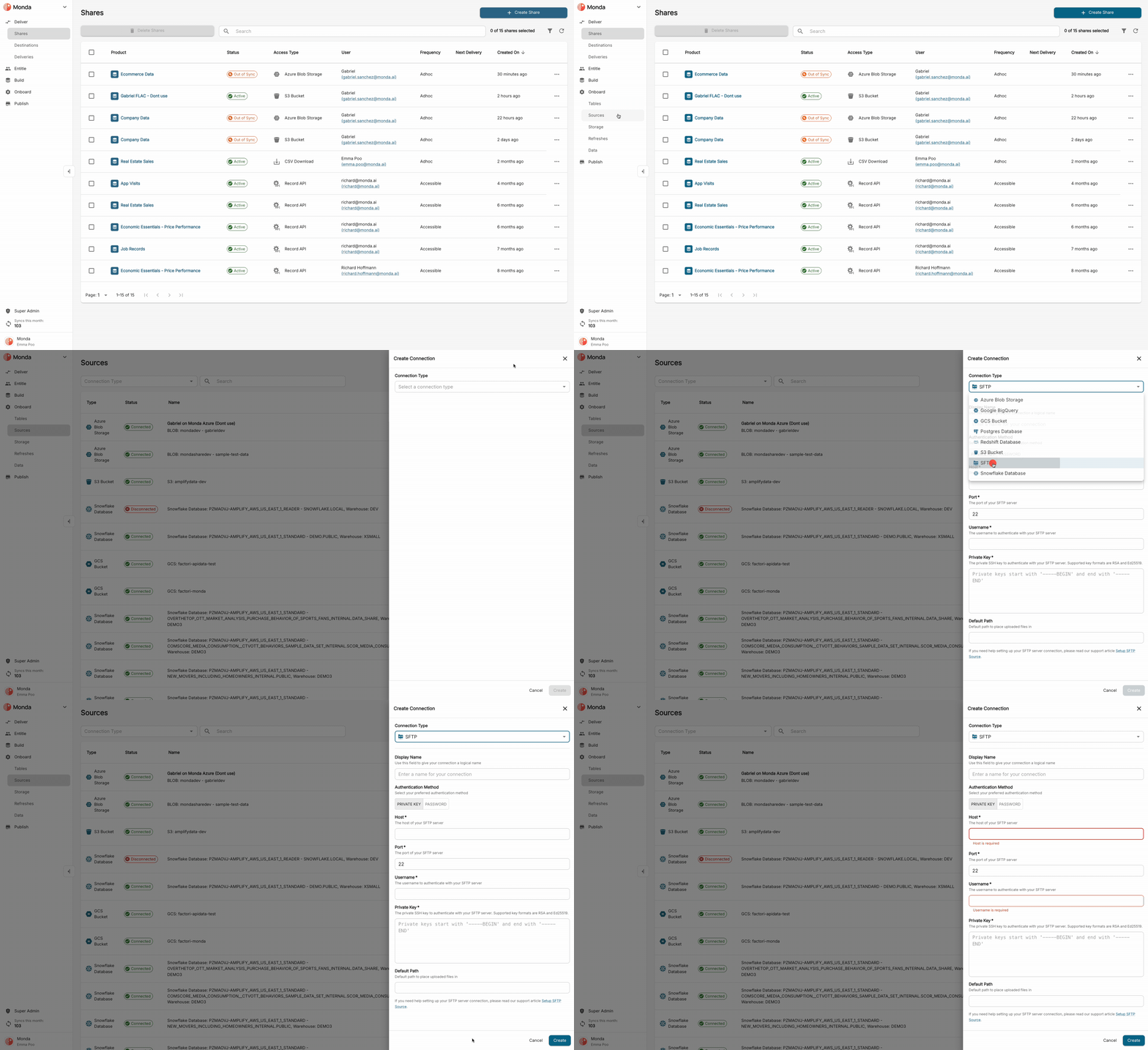
In your Provider Portal, go to Onboard > Sources > Add Connection.
Select SFTP from the dropdown menu.
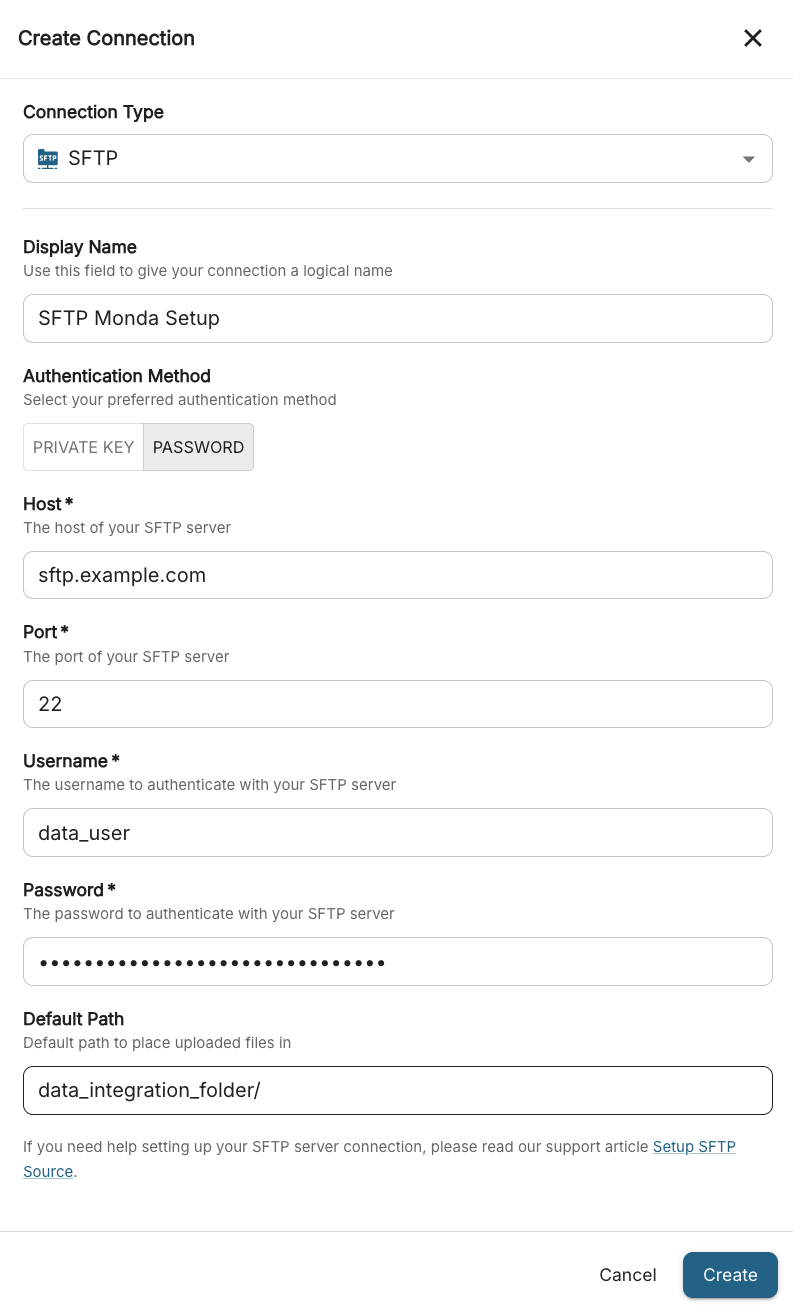
Admins must provide the following information:
Host: the URL of the SFTP server (e.g.,
sftp.example.com)Username: the user account created for Monda
Password: the password for the user account (leave blank if using key authentication)
Key: the private RSA key file if using key-based authentication
Port: the SFTP server port (default:
22)Default Path: the folder path where source files are stored
Click Create. After the connection is established, you can test it via the Test Connection button.
FAQ
What port should I use?
The default SFTP port is 22. If your server uses a custom port, ensure it is accessible from Monda and open in your firewall.
What happens if the connection test fails?
Verify that the host, port, username, and password/ key are correct.
Ensure the user has read access to the remote folder.
Confirm that any firewalls or IP restrictions allow access from Monda.
How should the file and folder structure be organized?
You may refer to the Data Sources Overview guide to learn more about preparing and formatting your data.
Can I create a connection using an API instead of the UI?
Yes! See our API documentation for creating and managing your connections programmatically.